Building Your First AI Agent with LangGraph
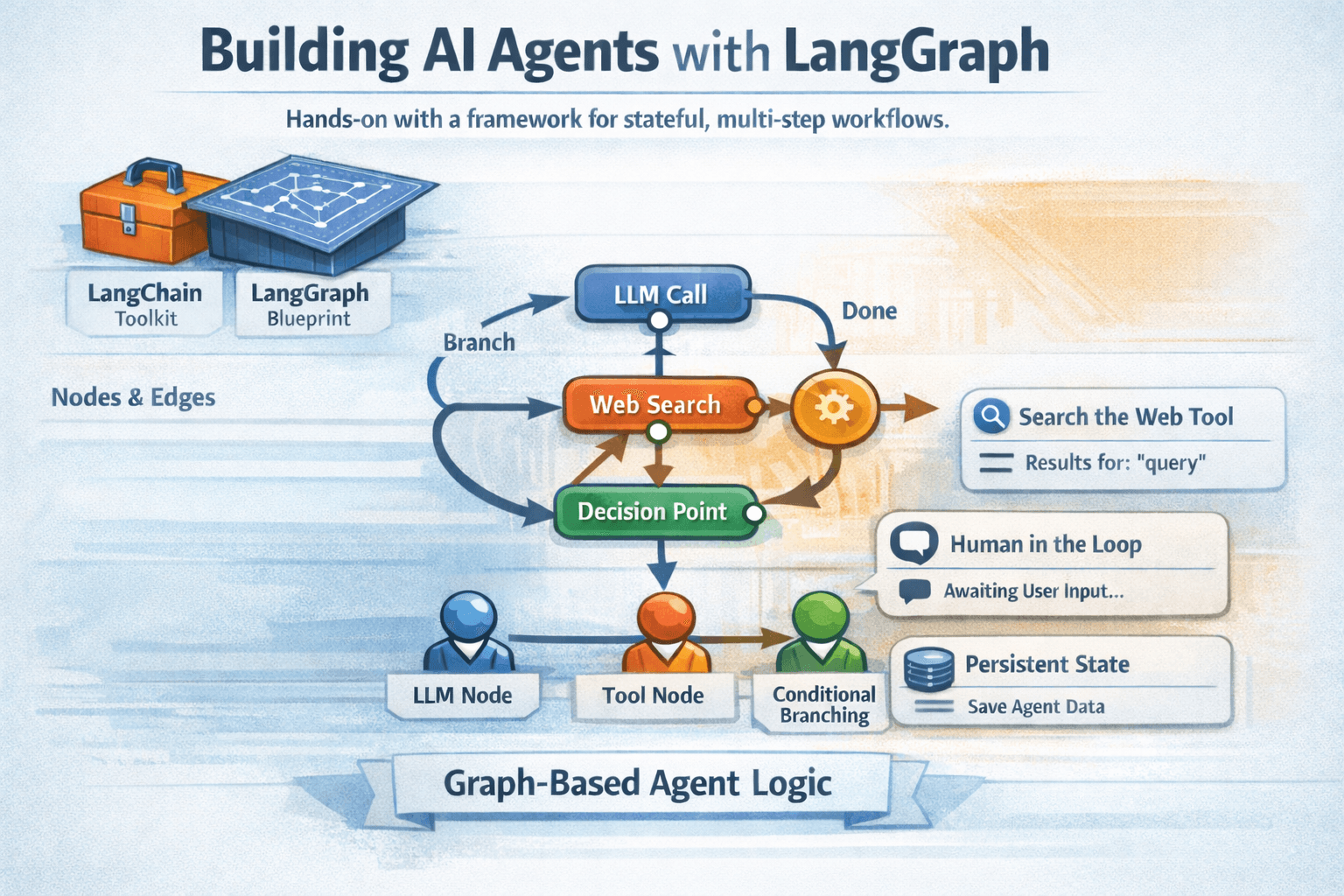
AI agents are everywhere in the conversation right now — but most tutorials skip the part where you actually build one. In this post, we're going hands-on with LangGraph, a framework built on top of LangChain that makes stateful, multi-step agent workflows genuinely manageable.
What is LangGraph?
LangGraph models your agent as a directed graph — nodes are functions (or LLM calls), and edges define how execution flows between them. This sounds abstract, but in practice it means you get explicit control over state, branching, and loops without writing spaghetti code.
Think of it this way: if LangChain is the toolkit, LangGraph is the blueprint for how your agent thinks.
Setting up
pip install langgraph langchain-openai
You'll also need an OpenAI API key (or swap in any supported LLM provider).
Building the graph
Here's the minimal structure of a LangGraph agent:
from langgraph.graph import StateGraph, END
from typing import TypedDict

class AgentState(TypedDict):
    messages: list
    next_step: str

graph = StateGraph(AgentState)

def call_llm(state):
    # Your LLM call goes here
    return {"next_step": "done"}

graph.add_node("llm", call_llm)
graph.set_entry_point("llm")
graph.add_edge("llm", END)

agent = graph.compile()
The AgentState is the shared memory your agent carries between nodes. Every node reads from it and writes back to it — that's what makes your agent stateful.
Adding a real tool
Where things get interesting is when you give the agent tools to call:
from langchain_core.tools import tool

@tool
def search_web(query: str) -> str:
    """Search the web for a given query."""
    return f"Results for: {query}"
Wire this into your graph and the agent can decide — on its own — when to call the tool and how to use the result.
What to build next
Once you have the basics down, try:
- Conditional edges — let the agent branch based on its own output
- Human-in-the-loop — pause the graph and wait for user input
- Persistent state — save agent state to a database between runs
LangGraph has a learning curve, but the mental model pays off fast. Once you think in graphs, ad-hoc agent scripts start to feel fragile by comparison.
Have a project in mind?
I'm currently available for freelance projects and technical consulting.
Get in Touch